> For the complete documentation index, see [llms.txt](https://docs.crynux.io/llms.txt). Markdown versions of documentation pages are available by appending `.md` to page URLs; this page is available as [Markdown](https://docs.crynux.io/node-hosting/start-a-node/start-a-node-mac.md).
# Start a Node - Mac
Start a node to join the Crynux Network on Mac
## 1. Prerequisite
The Crynux Node supports only the Macs with the M1, M2, M3 or newer versions. Make sure your device meets the requirement before running the node.
Hardware
Requirements
Model
Mac M1, M2, M3 or newer
Memory
16GB
Disk Space
60GB
Network
Public network access to Huggingface and Civitai
## 2. Download the Crynux Node software
Download the DMG file using the following link. By default, it will be saved to your `Downloads` folder.
{% hint style="warning" %}
**Allow the Installer to Run**
Due to macOS security policies, you must remove the `quarantine` attribute from the downloaded DMG file before opening it. This prevents security warnings during installation.
Open the `Terminal` app and run the following command. Make sure to replace `crynux-node.dmg` with the actual name of the downloaded file.
`$ xattr -d com.apple.quarantine ~/Downloads/crynux-node.dmg`
{% endhint %}
For Robinhood users:
{% embed url="" %}
For Base users:
{% embed url="" %}
For Near users:
{% embed url="" %}
## 3. Start the node
Double-click on the icon of the newly installed app to start the node:
## 4. Prepare the wallet
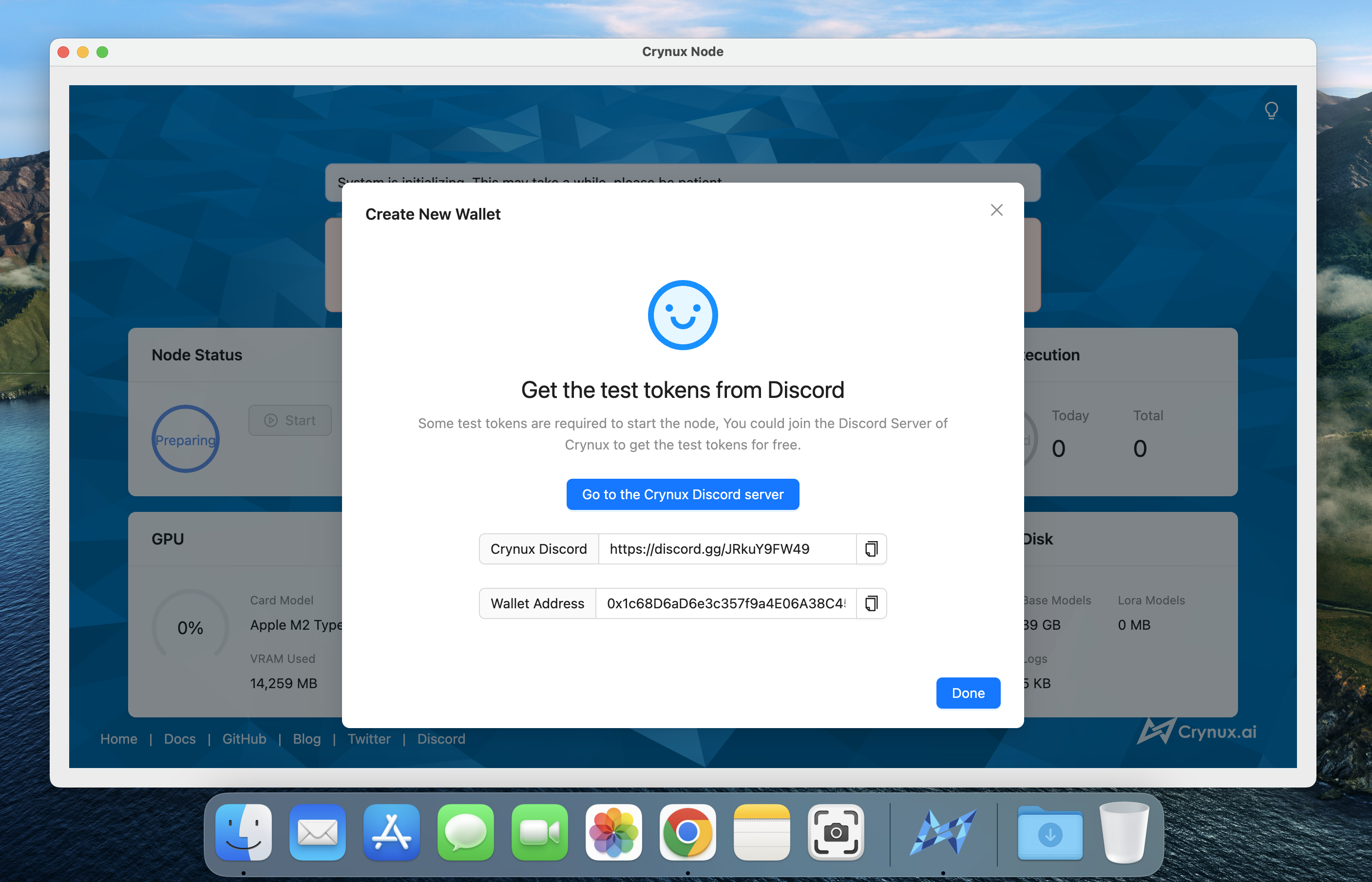
A wallet with enough CNX tokens must be provided to the node. If this is the first time you start a node, click the "Create New Wallet" button and follow the instructions to create a new wallet and finish the backup of the private keys. Join the Crynux Discord to learn more about acquiring CNX tokens and starting a node.
{% embed url="" %}
## 5. Wait for the system initialization to finish
If this is the first time you start a node, it could take quite a long while for the system to initialize. The most time consuming step is to download \~40GB of the commonly used model files from the Huggingface. The time may vary depending on your network speed.
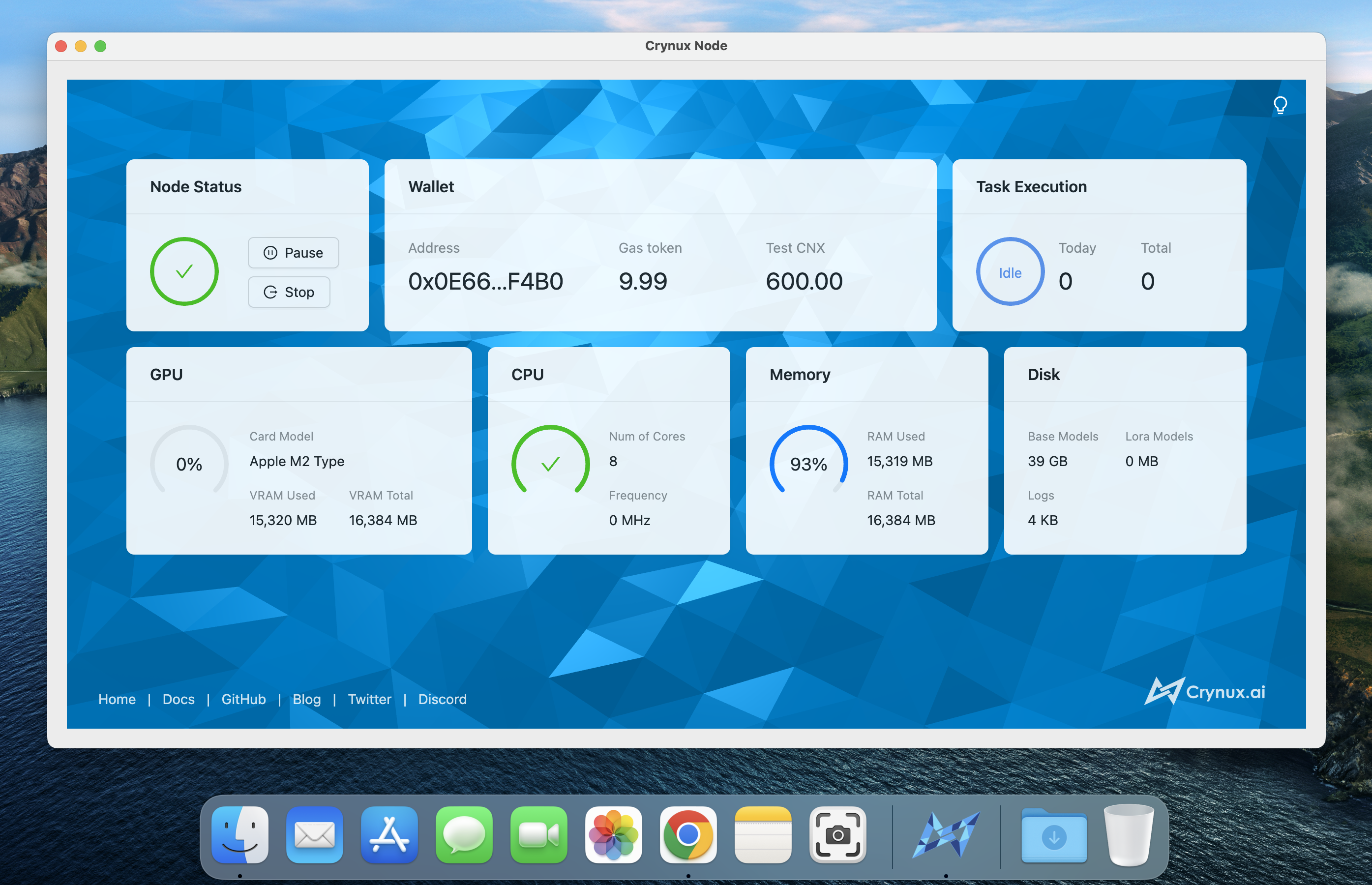
After the models are downloaded, a test image generation task will be executed locally to examine the capability of your device. If the device is not capable to generate images, or the generation speed is too slow, the node will not be able to join the network. If the task is finished successfully, the initialization is completed:
## 6. Join the Crynux Network
The Crynux Node will try to join the network automatically every time it is started. After the transaction is confirmed on-chain, the node has successfully joined the network. When the node is selected by the network to execute a task, the task will start automatically, and the tokens will be transferred to the node wallet after the task is finished.
Now you could just leave it there to execute the tasks. When you shutdown the Crynux Node app, it will try to quit the network before exiting, so that new tasks will not be sent to the node any more. And the next time the app is started, it will join the network to receive new tasks automatically.
---
# Agent Instructions
This documentation is published with GitBook. GitBook is the documentation platform designed so that both humans and AI agents can read, navigate, and reason over technical content effectively. Learn more at gitbook.com.
## Querying This Documentation
If you need additional information that is not directly available in this page, you can query the documentation by asking a question.
Perform an HTTP GET request on the following URL with the `ask` and `goal` query parameters:
```
GET https://docs.crynux.io/node-hosting/start-a-node/start-a-node-mac.md?ask=&goal=
```
`ask` is the immediate question: it should be specific, self-contained, and written in natural language.
`goal` is what the user is ultimately trying to achieve, the reason they need the answer. Sharing it helps GitBook give you a better, more relevant answer. A goal is most helpful when it describes the outcome the user wants rather than restating the question. For example, with `ask=how do I create an API token`, a goal like `automate deployments from our CI pipeline` lets GitBook tailor the answer to that use case.
The response will contain a direct answer to the question and relevant excerpts and sources from the documentation.
Use this mechanism when the answer is not explicitly present in the current page, you need clarification or additional context, or you want to retrieve related documentation sections.